Chinese Homework Tracker
One grade sheet the teacher already keeps, plus one web page, so students look up their own missing homework
- My role
- Requirements, data-field decisions, first-line user (the subject teacher); code produced with Gemini
- Stack
- Google Apps ScriptGoogle SheetsTailwind CSS (CDN)
- AI collaboration
- GeminiClaude Code
- 3
- Classes · three 7th-grade classes; students, homeroom and subject teachers
- 235
- Lines of code · two files
- 0
- Infra cost · deploys from a single Google account
01Problem
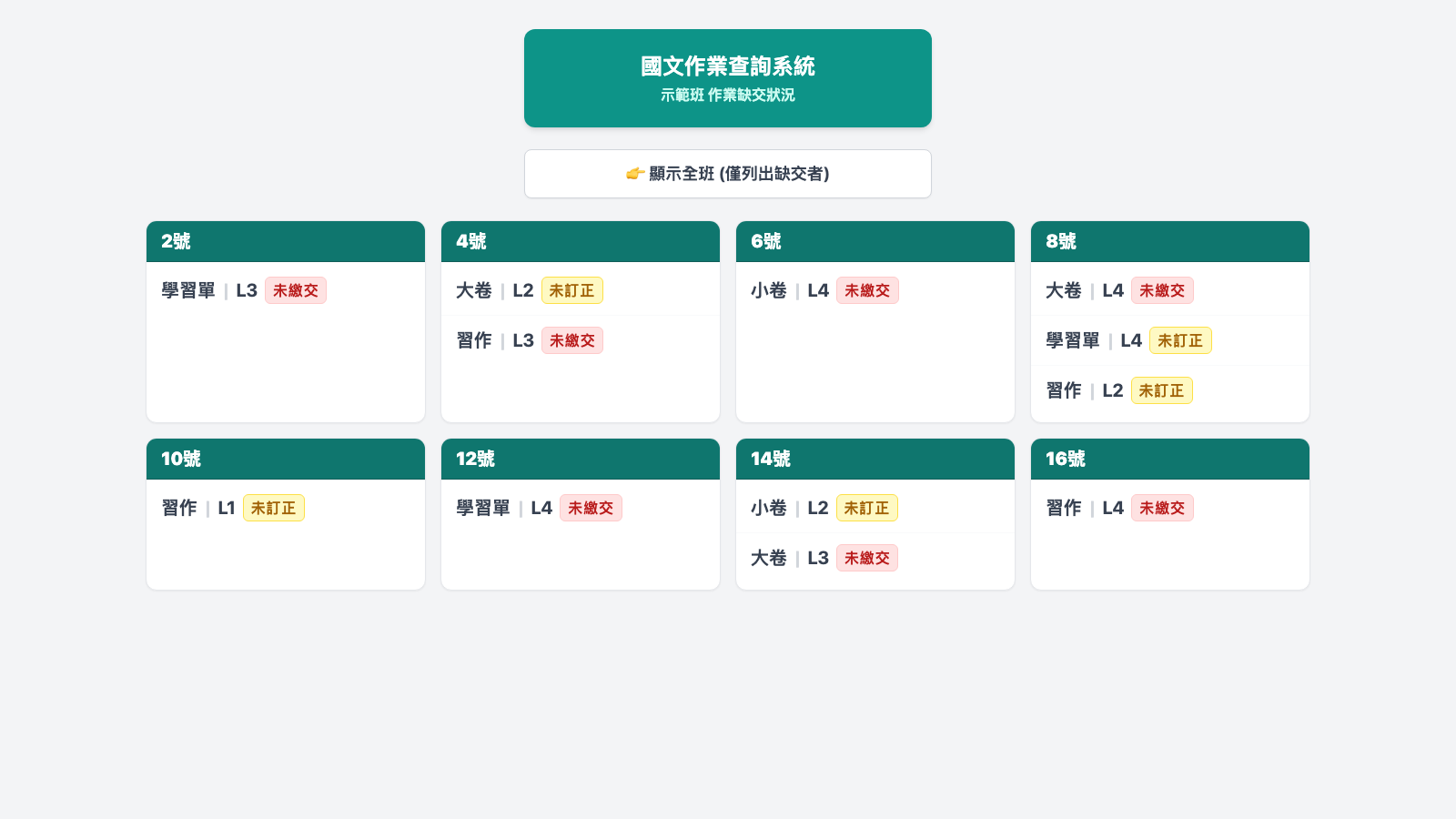
I teach junior-high Chinese and keep running grades in one Google Sheet: for every lesson, the test paper, quiz, workbook and handout each have a score, a submission status and a correction status. Recording was never the problem; lookup was. Students lined up at my desk asking what they still owed, and I had to scroll the sheet to answer; writing it on the blackboard took space and was never clear. I did not want a homework management system, only a way for students to see the "owed" part of their own row.
02Users & Context
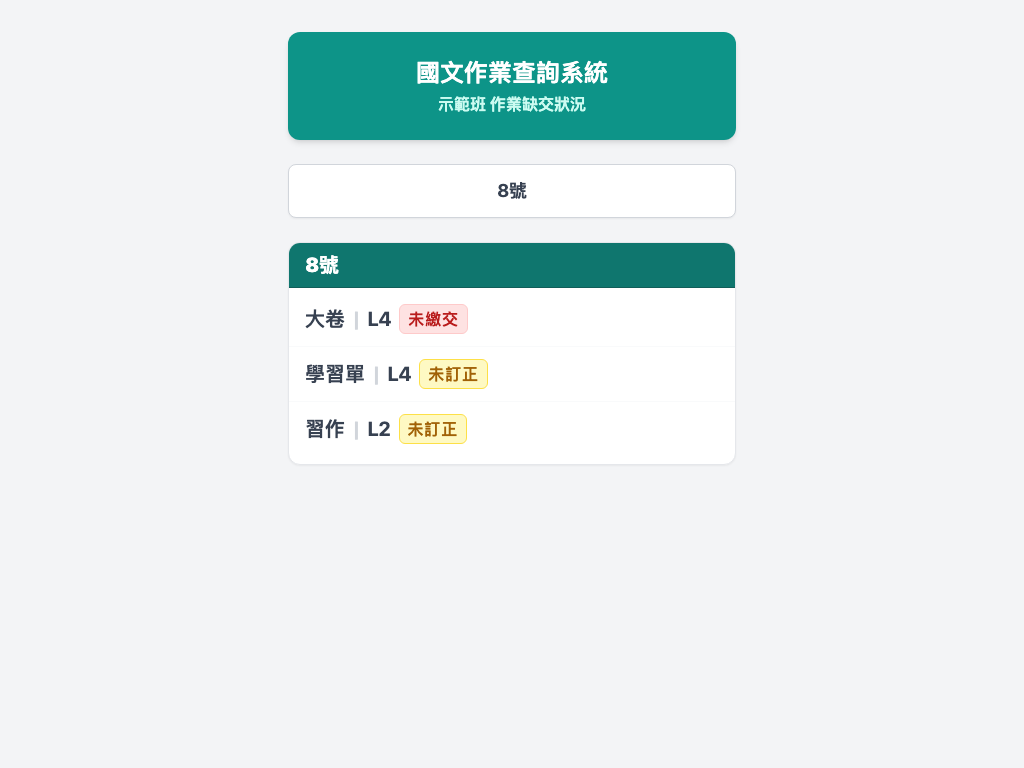
Students in three 7th-grade classes, checking their own progress on their phones during breaks or at home. The three homeroom teachers, who use it to see which students still owe what so they can ask parents to help. And me, the subject teacher across all three classes, scanning the whole class before a lesson instead of writing on the board. All three look at the same page and only switch between "whole class" and "one seat number".
03Constraints
Ship immediately; there was no time for a project. No budget, no server. The data already lived in the sheet, but that sheet is a grade sheet with names and scores, so it could not be published as is. Students use phones, and one extra sign-in step halves the usage.
04Approach & Trade-offs
Take the fastest, most direct path: an Apps Script web app bound to the existing sheet. Data in Google Sheets, execution in Apps Script, code produced with Gemini, the whole chain inside the Google ecosystem, deployable from one account at zero cost. The script reads only the submission and correction columns; grades and personal data never enter its field of view. Access is deliberately anonymous with seat numbers only, trading some exposure for adoption; the cost is that anyone with the URL sees the class's missing work, so the URL goes only to the class.
Key decisions
05How I Worked with AI
My job was the boundaries: which columns may leave the sheet (submission, correction), which may not (names, scores), seat numbers only, no sign-in. Gemini produced the whole program within those constraints. In October 2026 the source was brought under git with Claude Code: it first proved the repo matched the live deployment by deployment ID and a version diff, then ran a privacy review and found that names were in the response payload even though the UI never showed them. Per the rules it reported rather than changing anything; after I decided to remove them, it changed one line and updated the same deployment.
Human–AI moments
Carving the publishable slice out of a grade sheet
What I decided
The source was my running-grade sheet. I decided to take only the submission and correction columns, show seat numbers only, require no sign-in, and ship to three classes immediately.
What AI did
Gemini produced the Apps Script to those constraints: a doGet page, a parser for the three-row header that recognises only four assignment types, and a mobile-first card UI.
Outcome
Live immediately; used by students, homeroom teachers and the subject teacher across three classes.
Lesson Say what must stay private before saying what to build
Putting it under git: prove it is the live code first
What I decided
The source lived only in the Apps Script editor, and my Google account held several look-alike projects. I decided the source of truth is whatever the live URL is running, not whatever a project is named.
What AI did
Claude Code used clasp to compare each candidate project's deployment IDs against the live URL, then diffed the deployed version against HEAD file by file, and only then cloned it into the repo.
Outcome
src/ in the repo is byte-identical to the live version; the deployment URL is unchanged.
Lesson Step one of version control is not the commit, it is proving what you commit is what runs
Privacy review: not shown is not the same as not sent
What I decided
I asked for a check for hard-coded student data. Once it was explained that pressing F12 exposed every name, I decided to drop the name field and required the same deployment be updated so the URL would not change.
What AI did
Claude Code confirmed nothing was hard-coded but flagged that getStudentData's JSON carried the name column; per the rules it reported rather than silently changing it, and only after my decision removed one line and updated the same deployment with clasp deploy -i.
Outcome
The response no longer carries names; neither the screen nor the URL changed.
Lesson Audit the payload, not the screen
06Outcomes
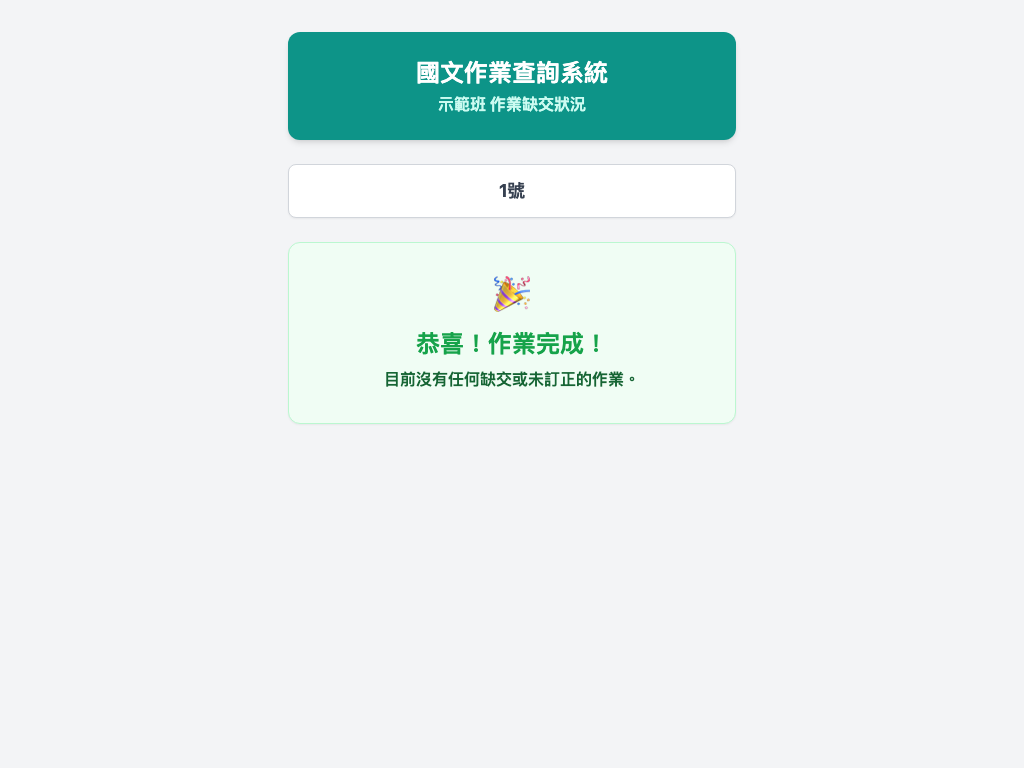
In use across three classes. Students can track their own progress; when everything is in, they see "Congratulations, all done!", which makes success visible and motivating. Homeroom teachers can tell parents exactly which items need help. Managing submissions across three classes got easier for me, with no more blackboard lists. The teacher's workflow is unchanged: same sheet, same cells. Two files, 235 lines, zero infrastructure cost.
Screens
07What I'd Do Differently
Keep names out of the payload from day one and send seat numbers only; this time it was fixed after the fact. Make the sheet-tab selection configurable instead of matching the literal "(6)", so a new semester cannot pick the wrong class. As for when it is worth upgrading from Apps Script to a real app: when it must span subjects, needs parent accounts or push notifications, or when the sheet header starts being shaped for the program rather than for people. Until then, one Apps Script page is the right size.